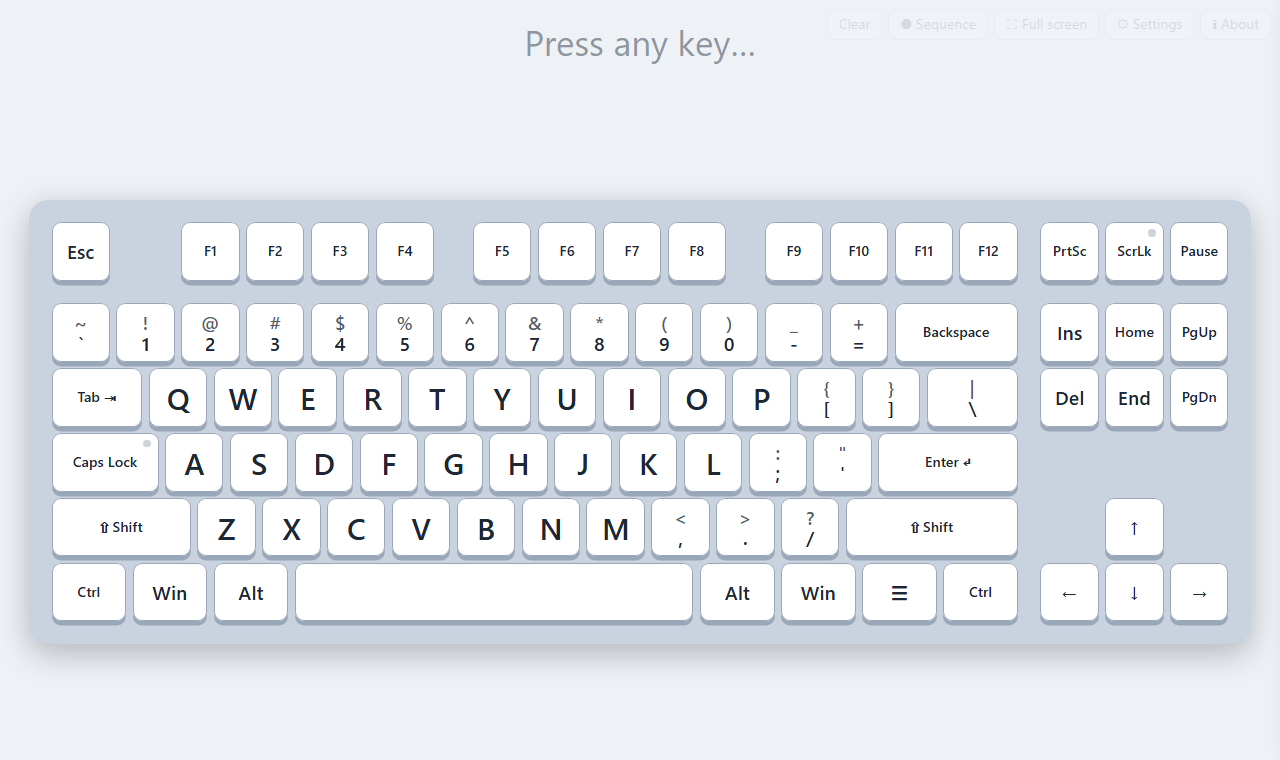
Shows a large keyboard on the board. Each key you press lights up and stays lit until the next press, so students can find the same key on their own keyboards.
Shortcuts are spelt out above the keyboard: press Shift + S and it reads Shift + S, then the letter it makes.
- Every key and shortcut lights up as you press it
- Eight themes, and any colour you like for keys, letters and glow
- Record a word or sentence and replay it slowly for the class
- Full screen for the class; the buttons fade away
Getting started
- Download the zip, then right-click it and choose Extract All. It won't run from inside the zip.
- Copy the Keyboard Display folder wherever you like: a flash drive, a network drive or your Documents.
- Double-click Start Keyboard Display.cmd. If Windows says the file is blocked, open Start in browser.html instead: it's the same app in a browser tab.
Made for Windows with Microsoft Edge or Google Chrome. Nothing is installed, no admin rights are needed, and it works without internet. Settings are kept in your browser on that computer only.
Is my copy the real one?
Every released file has a fingerprint (its SHA-256 checksum). Change one letter of a file and its fingerprint changes completely. Only copies that match the fingerprints below are ours; anything else isn't the file we released, so please download a fresh copy from here.
The quickest way: drop the zip or the folder on Check a copy. Or in PowerShell: Get-FileHash "KeyboardDisplay-v1.1.1.zip"
The zip
4219096f37ec7630cca56419df4a2a2cdaae11b834ff675565e49bea63921bf6
KeyboardDisplay-v1.1.1.zip
Every file inside it (6)
| CREDITS.txt | 690efdcd9e3bf85fd445cc2fcd27ab76d4b582b7e8ed10811bb213d9458d259b |
| Start Keyboard Display.cmd | 29d00517cb56149cba96312a7bf2ad105163fb9897490110bb419b34e9417aff |
| Start in browser.html | dbf23c4619d9f5b028b0ef60bc1fe231edbec1b461211d711fbaa1d2bfd9dead |
| System/VERSION.txt | ab84465ea7f9f47f8025bff6a578447d3b215c716455fc08dfe000023af9acbe |
| System/app/index.html | 53d34004baa0c5933e73576ffa14d9a62bd61c1b9dcfa452aeb45814bd571019 |
| Teacher guide.html | 9d84a1f87f85b173ce6b0679d5dc57ed4558dbbb8222223509f03a329925be56 |
Open code
Keyboard Display is plain HTML and JavaScript: open the System folder and every line is there to read. Nothing is compiled or hidden, and it makes no calls to the internet. You're welcome to have your IT team look it over.